AppleScript
Radiccio provides an AppleScript dictionary, which allows you to use AppleScript to get information from Radiccio, and to issue commands to make Radiccio perform actions.
You can do this with the built-in Script Editor app on your Mac. Other third-party apps may also be able to use AppleScript to interact with Radiccio. For more information about that, please consult the web site or documentation for those apps.
For a full explanation of Radiccio’s AppleScript capabilities, launch Script Editor, then go to File > Open Dictionary… and find Radiccio in the list. You will see a window with information about everything you can do with Radiccio and AppleScript.
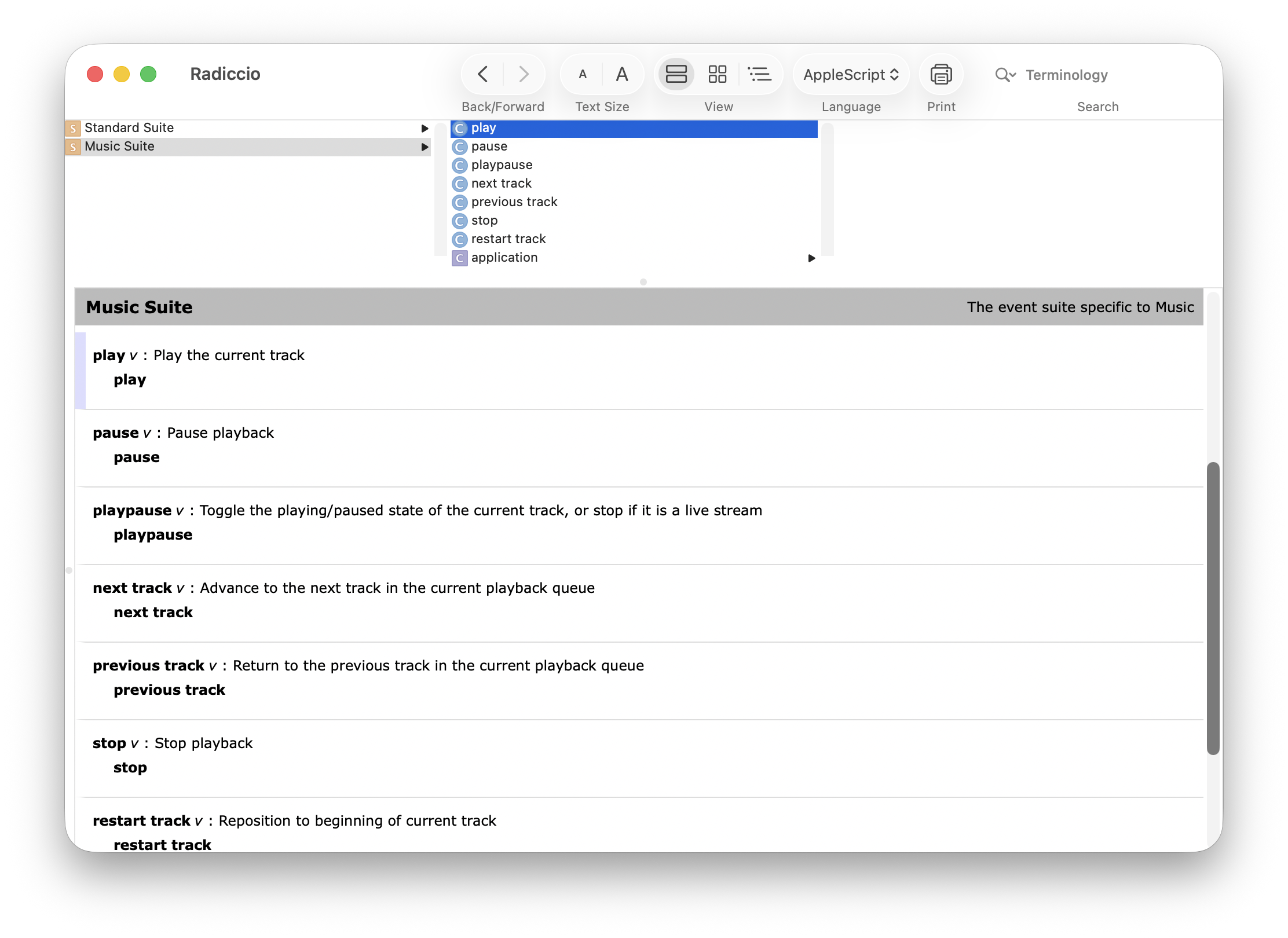
You can also view the AppleScript dictionary in XML format.
If you don’t see what you’re looking for in the AppleScript dictionary, please let us know so we can learn more about how you want to use it!
Activity Data
This feature is off by default. To enable it, go to:
App Settings > Integrations > Allow other apps to access activity data
This provides data using NSDistributedNotificationCenter which other app developers can use to see when Radiccio starts or finishes playing a song, and do something useful with that information. What exactly the other app does is up to them; for more information about that, please consult the web site or documentation for those apps.
Despite the word “notification”, this is not to be confused with the macOS Notifications feature, which shows you timely information in the top right of your screen. This is entirely unrelated to that feature. This type of notification is invisible and cannot be seen or heard by the user.
Specification for app developers
Radiccio provides the following types of notifications:
| Notification Name | Object | Notes |
|---|---|---|
| RadiccioPlaybackStateChanged | State enum | Sent immediately any time the playback state changes. |
| RadiccioPlaybackItemStarted | Item JSON | Sent immediately when playback starts. Several of these may be sent in quick succession, e.g. if the user presses the “next” button several times rapidly. |
| RadiccioPlaybackItemFinished | Item JSON | Sent approximately 10 seconds before the track reaches the end while playing, which is when the user is considered to have listened to substantially most of it. The exact timing is not guaranteed. Suitable for use when gathering statistics, but probably not for UI display purposes. |
| RadiccioPlaybackItemArtwork | Artwork JSON | Sent soon after RadiccioPlaybackItemStarted. There may be a delay if Radiccio needs to download the artwork over the network. Will be sent whether or not artwork exists for this item. |
As a sandboxed app, Radiccio is unable to use the userInfo dictionary, so that is why we have to put everything into the object as a string instead.
State enum
Will be one of the following strings:
playingpausedstopped
For Apple Music sources, it is not always possible to reliably distinguish between paused and stopped states, so you may get one when you’re expecting the other.
Item JSON
A JSON-formatted string which contains the following:
| Key | Data Type | Optional? | Notes |
|---|---|---|---|
| id | String | Required | Mainly useful to match this item to artwork data. The value of the ID is ephemeral; it will remain the same only as long as the item is in the queue. The same item played at a later point in time will have a different ID if it was removed and re-added to the queue. The value is otherwise random and meaningless. |
| title | String | Required | |
| album | String | Optional | |
| artist | String | Optional | |
| albumArtist | String | Optional | |
| disc | Integer | Optional | |
| track | Integer | Optional | |
| year | Integer | Optional | |
| duration | Integer | Optional | In seconds. |
Future versions of Radiccio may add additional key-value pairs, but we will do our best to avoid any breaking changes. Any changes will be documented here on this page.
Artwork JSON
A JSON-formatted string which contains the following:
| Key | Data Type | Optional? | Notes |
|---|---|---|---|
| id | String | Required | Matches the id of an item sent in RadiccioPlaybackItemStarted or RadiccioPlaybackItemFinished |
| hasArtwork | Boolean | Required | Indicates whether or not the data field will be populated. |
| data | String | Optional | Should be present if hasArtwork is true. Base64-encoded image data. Suitable for passing to NSImage.init(data:) after Base64 decoding. |
Sample code
To help you integrate with Radiccio in your app, we have created a sample app to demonstrate how to use this activity data. Check it out on GitHub.
If you have any questions or feedback, please get in touch.
